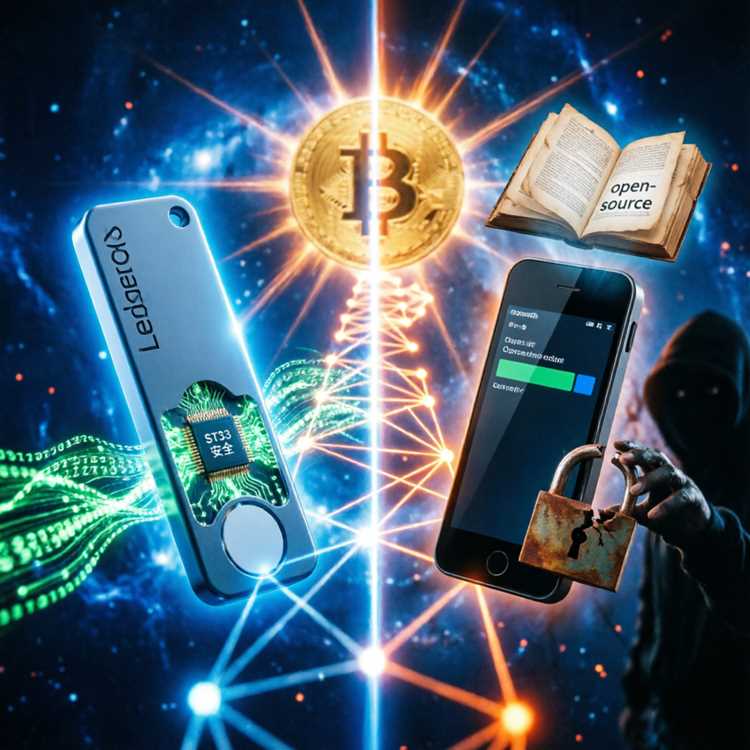
Choosing between Ledger vs Trezor requires a close look at security, ease of use, and coin support. Both brands dominate the market, yet each takes a different path to protect your funds. This Ledger vs Trezor: Which Hardware Wallet Is Superior? Review breaks down the key differences with real data. By the end, you will know which device fits your trading style and storage needs. We compare hardware, apps, backup systems, and hidden costs side by side.
Hardware wallets keep private keys offline, away from hackers. Cold storage is the safest way to hold crypto long term. However, not all devices are built the same. Some offer Bluetooth, others feature larger screens, and a few support more than 5000 coins. Understanding those gaps helps you avoid buying the wrong tool for your portfolio.
Why Your Next Wallet Choice Impacts Long Term Security
Your wallet is the gateway to your digital assets. Picking the wrong one can expose you to phishing, malware, or physical theft. Both Ledger and Trezor use secure chips, but their security models differ. One relies on a custom operating system, while the other favors open source code above all else.
Secure Element Chips vs Open Source Philosophy
Ledger uses a proprietary Secure Element (SE) chip, similar to those found in passports and credit cards. This chip stores your private keys in a tamper resistant environment. Trezor, on the other hand, uses a standard microcontroller with fully open source firmware. Open source code allows anyone to audit the software, but it lacks the physical protection of a dedicated SE chip.
Recovery Seed Vulnerabilities
Both wallets generate a 24 word recovery seed. Losing that seed means losing your funds forever. Ledger offers an optional recovery service that encrypts your seed into three parts. Trezor requires you to write the seed on paper and store it manually. Third party attack vectors target users who photograph or type their seed into a computer.
Physical Tamper Resistance Features
Ledger devices include a hardened casing and a certified chip that detects voltage attacks. Trezor devices show visible signs of tampering, but they do not have glue or mesh shielding. If someone steals your device, both wallets require the PIN to access funds. Entering the wrong PIN three times resets the device, but the seed can restore everything.
Comparing User Experience Across Ledger and Trezor Models
User experience decides whether you actually use the device or leave it in a drawer. Ledger targets mobile users with Bluetooth connectivity and a compact design. Trezor focuses on desktop security with a larger screen and USB only connection. Your daily habits determine which interface feels natural.
Ledger Nano X vs Trezor Model T Display Quality
Ledger Nano X has a 128x64 pixel screen, which is small but readable. Trezor Model T comes with a 240x240 color touchscreen. Touching the screen to enter your PIN feels modern, while button navigation on Ledger takes practice. Trezor displays QR codes for easy transaction signing, while Ledger requires manual address verification.
Mobile App Functionality and Bluetooth Range
Ledger Live pairs with your phone via Bluetooth, allowing you to send and receive coins on the go. Trezor has no Bluetooth at all, so you must carry a laptop or desktop. Using ledger app on mobile provides portfolio tracking and staking directly from your pocket. Trezor Suite, the desktop app, feels more powerful but locks you to a desk.
Button Navigation vs Touchscreen Input
Learning to press two buttons on a Ledger Nano S takes about ten minutes. Trezor Model T lets you tap the screen for each letter of your PIN. Not entering a PIN on a touchscreen leaves no trace of your password, which is a privacy boost. However, touchscreens drain battery faster and can crack if dropped.
Cryptocurrency and Token Support Differences
Portfolio diversity demands a wallet that supports many networks. Ledger supports over 5,500 coins and tokens through Ledger Live. Trezor supports around 1,400 assets across its Suite interface. Smaller altcoins often require third party wallets with both devices, which adds extra steps.
Bitcoin and Ethereum Compatibility Levels
Bitcoin support is flawless on both devices. Ethereum users can store ERC-20 tokens on Ledger and Trezor alike. Ledger adds native support for Polygon, Solana, and Polkadot through the same app. Trezor requires separate wallets for some chains, such as Solana, which complicates the workflow.
Staking and DeFi Integration Options
Staking Tezos, Cosmos, or Polkadot works directly inside Ledger Live. Trezor supports staking through third party services like Exodus, but not natively. Using Ledger DeFi tools lets you connect to Compound and Aave without leaving the app. Trezor Connect offers similar DeFi access, but the interface feels less polished.
Community Developed Coin Support
Ledger relies on its own developers to certify each coin app. Trezor allows community developers to submit code, which increases speed but risks quality control. New token launches appear on Trezor faster, yet Ledger patches bugs quicker. Checking the official repositories before buying ensures your favorite coin is covered.
Security Architecture Breakdown of Both Brands
Security is why you buy a hardware wallet in the first place. Ledger and Trezor both protect against remote attacks, but physical extraction attacks differ. Researchers have demonstrated that both devices can be compromised with expensive lab equipment. That risk is low for everyday users, but worth knowing.
PIN Code Entry and Brute Force Protection
Entering a wrong PIN on Ledger resets the device after three attempts. Trezor offers a similar reset, but attackers can duplicate the firmware to try unlimited guesses. Ledger's SE chip locks itself after consecutive failures, making brute force impossible. Trezor's open bootloader allows attackers to flash custom firmware, so use a strong passphrase.
Passphrase Support and Hidden Wallets
Both wallets support BIP39 passphrases, which create a hidden wallet. Adding a single extra word to your seed changes the entire wallet. Ledger lets you set a temporary passphrase that clears after each session. Trezor asks for the passphrase on the device itself, so keyloggers cannot steal it.
Firmware Update Security Procedures
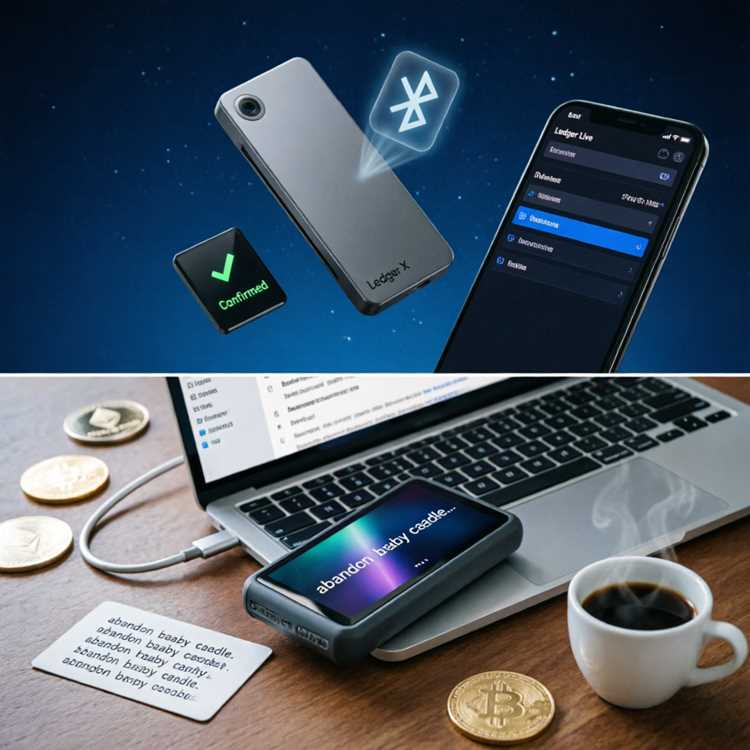
Updating firmware is a necessary but risky process. Ledger verifies every update with a digital signature from its production server. Trezor does the same, but the bootloader is open source. Using a Ledger Wallet Review shows that most users lose funds during updates, not regular use. Always back up your seed before installing new firmware.
Ledger Live vs Trezor Suite App Comparison
The companion app is your dashboard for balances, swaps, and transactions. Ledger Live feels faster and works across desktop and mobile. Trezor Suite offers advanced analytics and coin control features. Your choice depends on how much data you want to see and how often you trade.
Portfolio Tracking Features
Ledger Live shows real time prices for thousands of assets in one view. Trezor Suite displays portfolio performance with detailed charts, but only for supported coins. Neither app supports NFTs fully, so you might need a separate tool. For storing NFTs, check how to store NFTs Ledger style, which keeps your collectibles safe.
Built in Exchange Services
Swapping crypto inside Ledger Live uses partners like Changelly and 1inch. Trezor Suite integrates with Invity for similar swap services. Fees on both platforms range from 0.5% to 3%, depending on liquidity. Rates are rarely the best, so compare with a DEX before executing large trades.
Transaction Speed and Network Fee Management
Ledger Live lets you adjust network fees manually for Bitcoin and Ethereum. Trezor Suite also offers fee control, but the default settings are conservative. Sending during peak hours can result in hours of waiting. Both apps now support SegWit and Taproot addresses, which lower Bitcoin fees by up to 20%.
Price and Value Comparison for Each Model
Budget matters when choosing between Ledger vs Trezor. Ledger Nano S Plus is the cheapest entry point, while Trezor Model T costs nearly twice as much. Paying more does not always mean better security. Look at the actual features you need before opening your wallet.
Entry Level Hardware Wallet Costs
Ledger Nano S Plus sells for $79, and Trezor Model One costs around $69. Both support over 1,000 coins and connect via USB. The Nano S Plus has 1.5 MB of storage, enough for 100 apps. Trezor Model One has no touchscreen and lacks Bluetooth, so it is purely a desktop device.
Premium Models and Extra Features
Ledger Nano X costs $149 and adds Bluetooth, 2 MB storage, and a battery. Trezor Model T costs $219 and includes a touchscreen, but no battery. None of the models include a charging cable in some regions, so check the box contents. Read a Ledger Nano S review to see if the cheaper option covers your needs.
Hidden Costs and Accessories
Extra cables, protective cases, and metal seed backups cost more. A metal plate for your seed phrase runs $30 to $100. Shipping costs vary by region, and some countries add import taxes. Buying directly from the manufacturer avoids counterfeit devices, but you may pay more for shipping.
| Model | Price | Bluetooth | Touchscreen | Coin Support | Best For |
|---|---|---|---|---|---|
| Ledger Nano S Plus | $79 | No | No | 5,500+ | Budget users |
| Ledger Nano X | $149 | Yes | No | 5,500+ | Mobile traders |
| Trezor Model One | $69 | No | No | 1,400+ | Bitcoin purists |
| Trezor Model T | $219 | No | Yes | 1,400+ | Desktop security |
Setup Process and Backup Recovery Steps
Setting up a hardware wallet takes about fifteen minutes. Both brands provide clear instructions, but mistakes happen. Rushing through the backup process is the number one cause of lost funds. Follow the steps below to avoid common pitfalls.
- Unbox the device and connect it to your computer or phone using the included cable.
- Download the official app: Ledger Live or Trezor Suite from the manufacturer website.
- Create a new wallet and choose a PIN code. Use at least six digits, never your birthdate.
- Write down the 24 recovery words on the provided card. Never type them into a computer.
- Verify the seed by confirming random words on the device screen.
- Install a coin app, such as Bitcoin or Ethereum, from the app store.
- Send a small test transaction of $5 to confirm the address works.
Recovery involves resetting the device and entering the seed phrase. Ledger allows recovery through the device buttons only. Trezor lets you type the seed on a computer, but that is less safe. Using a Ledger support review shows that most users recover successfully within an hour.
Customer Support and Community Reputation
When something breaks, good support saves the day. Ledger offers live chat and email tickets, but response times vary. Trezor relies on email tickets and a community forum. Both brands have extensive knowledge bases, but Ledger's video tutorials are more polished.
Response Times and Ticket Resolution
Ledger support answers within 24 hours on average. Trezor usually replies within 48 hours. Weekend support is slower on both platforms. Complex issues like firmware corruption may take several days to resolve.
Warranty and Replacement Policies
Both brands offer a one year limited warranty. Damaged devices are replaced if the defect is not caused by the user. Lost or stolen devices are not covered. Keep your proof of purchase and the original packaging to speed up the process.
Comparing Security Against Software Wallets
Understanding the gap between hardware and software wallets is crucial. Hot wallets like MetaMask or Trust Wallet stay connected to the internet. That connection exposes them to phishing and malware. Choosing a hardware vs software wallet comparison shows that cold storage is safer for long term holdings. Software wallets are convenient for small amounts, but not for savings.
Attack Vectors for Hot Wallets
Phishing sites trick users into entering their seed phrase. Malicious browser extensions steal private keys. Fake mobile apps in app stores look identical to real ones. Hardware wallets bypass all these risks because private keys never leave the device.
When a Software Wallet Makes Sense
Testing new tokens or playing games requires a hot wallet. Keeping small amounts, under $100, in a software wallet is acceptable. Moving large sums to a hardware wallet reduces your exposure. Use both types together for a balanced approach.
Frequently Asked Questions About Ledger and Trezor
Below are the most common questions from new buyers. Answers are short and direct, based on official documentation and user reports.
Which wallet supports more coins?
Ledger supports over 5,500 coins and tokens. Trezor supports about 1,400. Check the official list before buying if you hold rare altcoins.
Can I use Ledger and Trezor with my phone?
Ledger Nano X works with iPhone and Android via Bluetooth. Other Ledger models and all Trezors require a USB connection to a computer. Trezor has no mobile app for iOS or Android.
Are both wallets safe from hackers?
Both devices protect against remote attacks. Physical attacks require specialized equipment and in person access. Using a strong PIN and passphrase adds another layer of security.
What happens if my device breaks?
Your crypto is not stored on the device. It lives on the blockchain, protected by your recovery seed. Buy a new wallet and enter your seed to restore everything.
Choosing between Ledger vs Trezor depends on your priorities. Ledger wins for mobile use, coin support, and tamper resistance. Trezor wins for open source transparency and a touchscreen. Either choice beats a hot wallet for long term storage. Visit the official stores to avoid counterfeit devices and check current prices before buying your next hardware wallet.